Among international students, there's a saying: "Perfect score on PPT, but a negative score on presentation."
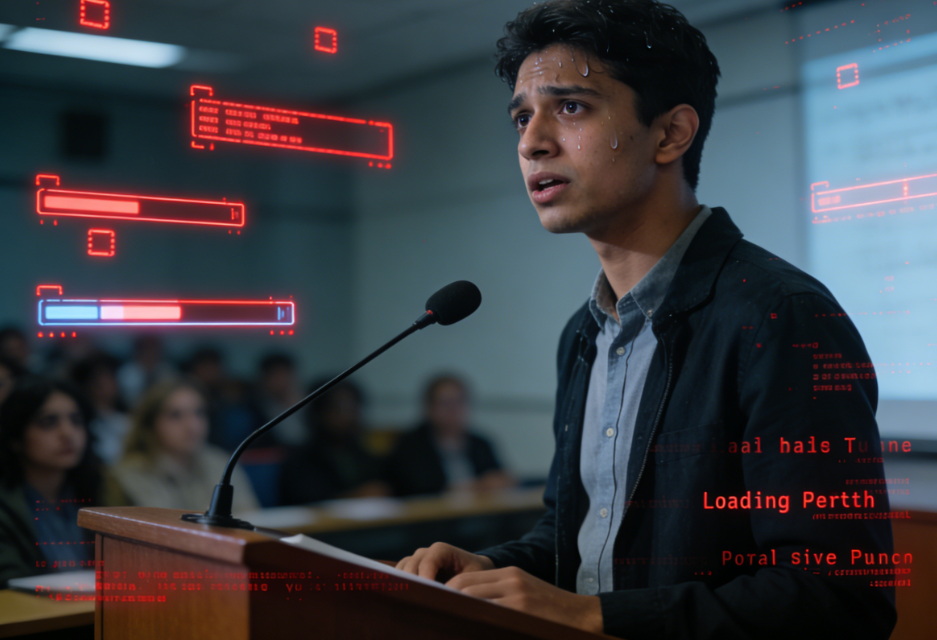
For this presentation, you stayed up three nights in a row, formatting the slides to look like a McKinsey consulting report. However, the moment you stood on the stage:
- Open-mouth kneelingMy carefully prepared opening remarks vanished instantly, leaving me only able to read the bullet points on the screen.
- Read the textBecause you were so nervous, you started reciting passages from your paper unconsciously, your tone as flat as Siri's, and the professors in the audience started rubbing their temples.
- Time explosionYou only have 10 minutes, but you spend 8 minutes talking about the background, and then you can only scramble to cover the most important parts, Finding and Analysis, in 30 seconds at double speed.
- Q&A NightmareThis is the most terrifying part. The professor casually asks about the source or limitations of the data, and your brain freezes, leaving you stammering for ages before finally managing to squeeze out, "Sorry, I'm not sure..."“
If you feel like you've been shot in the knee, don't panic, you're not alone. It's usually not because your English is bad, but because you've applied the logic of "writing a thesis" directly to "giving a speech."
In-depth analysis: Why does your presentation sound so difficult to understand?
To solve a problem, you first need to know where the problem lies. Most "mishaps" stem from the following four pitfalls:
- Lack of "colloquial structure"“Written English and spoken English are two separate systems. Bringing long and complex sentences from academic papers directly onto the stage requires the audience's brains to work at a high level to keep up; they'll lose focus within three pages.
- Time allocation is severely unbalancedMany students, feeling insecure, frantically pile up literature reviews to reach the word count, leaving no time to elaborate on the conclusions that truly reflect their workload.
- Abrupt transition (fault)After finishing a page, the teacher would only say "Next slide please." The audience felt like they were looking at a broken jigsaw puzzle, not knowing why they had jumped from A to B.
- Q&A - Completely UnpreparedI only prepared what I would say, but not what I would be asked about. Once I was asked about boundary conditions, limitations, or data sources, my composure completely crumbled.
Personal safety net process: How to manually build a sense of security“
Before relying on tools, you need to master a set of manual procedures to "survive" the test. This methodology can help you maintain a passing grade:
1. Calculate this cost: duration and word count A normal human speaking speed is about 130-150 words per minute. If your presentation is 10 minutes long, your verbatim transcript should have a maximum of 1300-1500 words.Exceeding the standard is strictly prohibited.Otherwise, you'll just be able to spray bullets like a machine gun.
2. Skeleton First: A Six-Step Method Don't start by writing the first page; first create a framework:
- HookUse a fact, contradiction, or problem to grab attention.
- PurposeWhat problem do I need to solve?
- MethodHow I did it (briefly).
- FindingThe core point: what I discovered.
- MeaningWhat does this tell us?
- Outro (finishing)Summary in one sentence + Next steps
3. The "Three and a Half Sentences" Rule For each slide, the corresponding script should not exceed 3 core phrases.
- First sentence: Explain the chart/viewpoint.
- The second sentence emphasizes key data/conclusions.
- The third sentence: This means... (sublimation).
- + Half-sentence transitionUse a single sentence to connect the preceding and following paragraphs, leading into the next page.
4. Prepare 5 frequently asked questions. Don't wait to die, anticipate. The 5 areas professors love to ask most questions about:
- LimitationsWhere did your research fall short?
- Data SourceIs the data accurate? Where did it come from?
- ComparisonWhy use method A instead of method B?
- FeasibilityCan this thing really be implemented?
- Next step (Future Work)What are you planning to do next?
5. Subtraction Rehearsal If the rehearsal time is exceeded,You can only delete content; never try to speed up your speech.。
AI improves efficiency: using DiffMind Generate a "speakable" speech with one click.
While manual processes are reliable, they are time-consuming. This is where AI tools come in. DiffMind It will come in very handy. It's not just for making PPTs, but also a powerful "logic organization and script generation" assistant.
1. Generate a page-by-page script based on the key points of the PPT. You just need to give DiffMind the outline or rough bullet points of your PowerPoint presentation, and it will generate a verbatim transcript based on the page content.
- Styles availableYou can ask it to generate a "more formal", "more storytelling", or "more concise" version.
- Refusing to chant scripturesThe language it generates is more inclined towards oral presentation, avoiding the embarrassment of long and complicated sentences.
2. Automatically complete logical chains and transition sentences. This is where DiffMind's greatest strength lies. Often, the logic in our own PowerPoint presentations is disjointed. DiffMind can analyze the relationship between consecutive slides and automatically generate a smooth flow. Transition Sentences。
- Before: “"Next is the data."”
- After (DiffMind): “"Having established the theoretical framework, let's now look at how the data supports this hypothesis..." This effectively reduces "page jumps and gaps," making the professor feel that your logic is very rigorous.
3. Standardize wording and terminology In group projects, everyone's English proficiency and vocabulary habits differ. DiffMind can unify the process, making the entire script read like it was written by one person, rather than a cobbled-together "Frankenstein's monster."
Ultimate Self-Rescue Checklist (Must-Read Before Going on Stage)
In the last 10 minutes before going on stage, take out this list and check it over:
- main idea sentenceDoes each slide of the PPT contain a core conclusion that you can immediately recite?
- Transition sentencesDoes each page end with a sentence that connects to the next page?
- scheduleDid you mark the time points for key pages (e.g., when talking about page 5, it should be 3 minutes)?
- One-sentence conclusionIf you are forcibly interrupted, can you summarize the core of the entire presentation in one sentence?
- Limitations and self-destructionAre you prepared to acknowledge the two limitations of your research (it's better to admit them proactively than to be passively attacked)?
- Q&A MemoDo you have a cheat sheet with keywords for those 5 frequently asked questions?
Conclusion The essence of a presentation isn't about showcasing your ability to memorize, but rather demonstrating your thought process. With a well-structured presentation and tools like DiffMind to handle the tedious script polishing, you can focus entirely on the "expression" itself. Next time you're on stage, take a deep breath, and you can command the room.